Search This Blog

Showing posts with label Google. Show all posts

Monday, 29 January 2018

BETT

BETT

So I went to the BETT conference on Saturday. Wow, that is one big event and it was so busy.

Seminars

So I was a bit slack and only went to half of one seminar but there was so much to see! I saw a brilliant discussion from Lauren Thorpe (Head of data and Systems strategy, ARK), Catherine Scutt (Director of Education and research, Chartered College of teaching) and Nic Newman (Partner, Emerge education) all compered by Abdul Chohan (Director of Learning and development, The Olive Tree Free School). So all very experienced individuals, discussing teacher workload. The first Question which really interested me was "How can technology reduce workload?" The answers and discussion were quite enlightening.

- Technology in schools should be easy to use and reliable. This is something I'm definitely struggling with at the moment with Microsoft technology it isn't easy to use and it isn't reliable across different platforms. Google sometimes have these issues as well but they seem to be less frequent nowadays.

- Schools need to evaluate the technology they are using to see if it has benefits or whether it is just extra work.
I have been part of an evaluation process in a previous school and I have to say that when we found that the idea had not worked out as successfully as hoped it did not go down well.
I will now be putting in place an evaluation tool to work out if the effort I'm putting in is effective and not losing sleep if it isn't. I think I'll start off with the student's voice as this is often the easiest way to collect feedback. I will try more quantitative analysis with a couple of apps I'll be using later on in the year as well.

- Coursera is a great place to get CPD, yeah it really is.

Technology and apps

Science Journal - Google were showcasing this one and gave me more ideas on how to use it. The Chromebooks have more functionality in some ways than Ipads to use this as they contain a magnetometer but actually, they are still pretty good. Can't wait to use this in more ways.
- Available on Google Play and IOS free
Science journal website on google

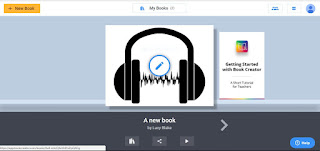
Book Creator - This is an app where you can make your own book add video, sound, pictures and text. It can be downloaded as an epub or a pdf. The free version allows students to make one book at a time. It doesn't have spellchecker or grammar checker but it does make pretty books that can possibly help organise students work in a clearer fashion. To be fair if you are working on the computer and have Grammarly on your chrome app you can use that to check out the spelling and grammar.

Squid Notes - So I've had a quick play with this and the free app is a way to draw notes but not type them. You can type them and draw on PDF's, however, this is only available in the paid part of the app. Could be useful especially if you get a lot of PDF's and want to write on them digitally and then share them it's only £4.79 for the PDF import tool. 
Squid notes webpage - https://www.squidnotes.com

Microsoft specific apps and tools

Paint 3D - Available on any computer installed with Windows 10.
I met some of the developers of this app and they were super excited and really knowledgeable and weirdly enough for people developing tools had actually spoken to teachers (one of the members of their team is a graphics teacher) and they had got some of his students in to test it. I've had a play with it and I can see that for graphics student's it might be great but I can see it being a massive waste of time for student's in science for example. 


Tuesday, 24 October 2017

Microsoft 365

So I've moved to a new school and I'm now using Microsoft 365 and mainly Ipads. First of all I need to say that I've never really been a fan of Ipads in the classroom. I also need to state in the interests of transparency that I'm new to Microsoft 365 so I'm still working out how to use it properly.

I've been using Google for the past few years (I got my google level 1 educator a month or so back) and I have to say I enjoy how easy it is to use for students and I now know its way easier for admin to use as well. I've been using Microsoft 365 for just over a month and it has some great benefits which Google doesn't have.

Benefits:

1. One note is a great way to see a whole class full of work and you can set work for for loads of groups of students.
2. One drive works as well as google drive so no complaints there.
3. Using powerpoint/ word/excel online is great and as you can download the files and edit them on your computer it makes using powerpoint a whole lot easier than slides.

Ok now for the problems I've been facing, which are not all due to Microsoft 365:

1. Powerpoint in Onedrive is not able to be edited on Ipads with ease. This is also a problem faced by Google slides but not to such a severe extent.
2. Passwords are incredibly difficult to change in the admin. This is also due to the fact that Microsoft 365 doesn't sync easily with SIMS.
3. Sharepoint, I can see that they are trying to emulate shared servers on Microsoft computers but it uses the worst part of Microsoft and it's really difficult to find anything.
4. The editability of Powerpoint, Word and Excel is reduced to a very basic and frankly unusable version if you are doing it online. A lot of the better features of these programmes are completely lost on the online version.

I'm also working in a school that is part of a group of schools so there are restrictions on all sorts of things and how they work within the group. I don't have all the permissions I used to have (I'm now an Admin not a Super admin) so that can be an issue. So some of the issues I'm having with using this new system is in part due to the restrictions in my user name.

I really want to emulate the work I was doing in New Zealand and make the learners in my classroom self motivated in their learning. I know that the student's I am teaching are more than capable. The school I am working in has high expectations for their learning and behaviour so there is a framework in place. All I need to do is find a way to get the technology to work for me. I'm really trying to keep an open mind but I have to say I'm struggling with Microsoft 365, so I think this will possibly be my greatest technology challenge so far.


Monday, 1 May 2017

Google for education, educator level 1

Google for education, educator level 1 training

So today I started the google education training today. I decided to start with the level 1 training course so I could find out what the course is about and have a go at completing it. The course is interesting so far I have done 4 of the 13 units of the fundamentals course.

I have learnt quite a few things although I think this course is aimed at teachers using google apps for education for the first time I have learnt quite a bit about features that I have never used. The course is in units, each unit is split into lessons. Thankfully they have given time allowances for each unit so you can plan how long you want to spend on the course. Each lesson is concise and gives links to websites and places to find information. At the end of each lesson there are multiple choice questions which you can mark as you do them. At the end of the unit their is a test to find out how much you have learnt. I have to say that some of the questions are quite strangely worded and I don't always agree with the answers especially when relating to teaching pedagogy (units 1 and 2). Some of the questions are also weirdly phrased which mean I have given the wrong answer to a question and I don't fully understand why.
Example of one of the questions

"If you wanted to create a space to share weekly information with all of the one hundred seventy different community mentors of your students, what would be the URL (not including https://) to use to get you to the google product best suited for this?"

I thought an answer to this question would be sites.google.com, as this is a forum I use to communicate with parents however the answer was groups.google.com. I know this is a useful tool however it's not something I use with my classes to communicate with parents or students. This is definitely a weakness on my part as from what I have seen it could be really useful to send out bulk emails and connect parents not just students. I think I have only scratched the surface with this as I mainly use google groups as a forum to ask questions and discuss ideas. Google groups in on the staff learning site but I have purposely removed the email notifications from the web forum as otherwise staff were bombarded with email every time anyone posted. Google groups is a great collaborative tool and hopefully I can use it to its full potential.

I'm doing ok with this so far but I am worried about the test ($10 to take if you were wondering), there are practice questions but although I understand the tools and I can do everything in the tasks I am so far quite rubbish at understanding the multiple choice questions.

Actually this fear of the test is really good for me, I'm dyslexic and always did quite poorly in written exams as a student (I have never completed a written test within the time allocation), especially as I didn't get diagnosed until I was 21. I am being reminded how many of my students feel on a daily basis and how they feel having to sit an assessment. Having a learning disability has never really held me back in fact I usually see it as a strength rather than a weakness but written test are definitely my kryptonite.