Search This Blog

Showing posts with label research. Show all posts

Monday, 16 April 2018

Formative assessment tools

So I've been playing with ways to assess students understanding and ensure they are secure in their knowledge.

I've been playing with a few tools and I'll go in order of my favourites.

Plickers - www.plickers.com

Plickers is a great tool to use if you don't have a great student internet or device availability. 
Students have a piece of card and hold up the card in different ways to show their answer. They each have an individual card so you can see what each student has answered. To collect answers you scan the room with the camera of a device (either ios or android). It will collect the answers, from the students.
Pros Cons
Easy to use and easy for students to understand. You can only ask multiple choice questions.
You can download class information into CSV, excel files to review. You may need to unblock/remove from a blacklist their cloud image sharing site.
Easy to see display on the app means you can identify who is getting the right or wrong answers. You have to download the app onto your mobile device or tablet, trying to do it from a laptop is really hard.
Students can easily see if they have voted using the live view on a screen or with a projector. Difficult to use if windows or light sources are behind students.
Students can easily see how they are doing and how others are doing in class, but still remain anonymous with how people have voted.
Student's don't need a device.

Kahoot

Kahoot is a great way to assess knowledge or get feedback from students and doesn't require an app on students devices to access. It can be used on every type of device mobile and laptops. You can ask multiple choice questions and students love it and its timed and gives points for speed and accuracy.


Pros Cons
Easy to use and easy for students to understand. You can only ask multiple choice questions.
You can download information regarding how your students have answered. Every student or group needs a device.
It has a group mode so if you don't have 1:1 devices you can allow discussion time. The music is really annoying, which doesn't sound bad until you have listened to it 10 times in a day.
There are loads of quizzes by other teachers that you can use and adapt to your classes. If your internet connection is patchy in any way the screen will freeze and students will get very upset.
Students love it.
Kahoot questions with answers

Mentimeter

Great app to review feedback and to check understanding. Again it asks multiple choice questions but the main point of this is as a decision-making tool. It shows a bar graph on the screen and is great for getting students to collaborate and make decisions. You can also use it to ask a question and students can respond.


Pros Cons
Looks simple and very easy to view answers You can only ask multiple choice questions.
Students go to a website menti.com and input a code to access the site. Unless you allow multiple votes it will not allow more than one vote per device. Which is difficult if you don't have 1:1 devices.
Unless you allow multiple votes it will not allow more than one vote per device. Which is great for making sure you only get one vote per person.

Socrative

Still playing with this one so can't yet do a pro's and cons list but I'm definitely finding it interesting. It's a way to get answers from students. It's the only programme that allows long answer questions. Students can also vote on their favourite answer to questions and this allows students to learn from each other.  
Socrative home page

Monday, 29 January 2018

BETT

BETT

So I went to the BETT conference on Saturday. Wow, that is one big event and it was so busy.

Seminars

So I was a bit slack and only went to half of one seminar but there was so much to see! I saw a brilliant discussion from Lauren Thorpe (Head of data and Systems strategy, ARK), Catherine Scutt (Director of Education and research, Chartered College of teaching) and Nic Newman (Partner, Emerge education) all compered by Abdul Chohan (Director of Learning and development, The Olive Tree Free School). So all very experienced individuals, discussing teacher workload. The first Question which really interested me was "How can technology reduce workload?" The answers and discussion were quite enlightening.

- Technology in schools should be easy to use and reliable. This is something I'm definitely struggling with at the moment with Microsoft technology it isn't easy to use and it isn't reliable across different platforms. Google sometimes have these issues as well but they seem to be less frequent nowadays.

- Schools need to evaluate the technology they are using to see if it has benefits or whether it is just extra work.
I have been part of an evaluation process in a previous school and I have to say that when we found that the idea had not worked out as successfully as hoped it did not go down well.
I will now be putting in place an evaluation tool to work out if the effort I'm putting in is effective and not losing sleep if it isn't. I think I'll start off with the student's voice as this is often the easiest way to collect feedback. I will try more quantitative analysis with a couple of apps I'll be using later on in the year as well.

- Coursera is a great place to get CPD, yeah it really is.

Technology and apps

Science Journal - Google were showcasing this one and gave me more ideas on how to use it. The Chromebooks have more functionality in some ways than Ipads to use this as they contain a magnetometer but actually, they are still pretty good. Can't wait to use this in more ways.
- Available on Google Play and IOS free
Science journal website on google

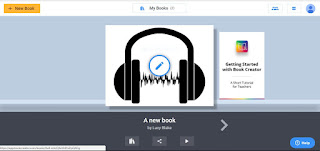
Book Creator - This is an app where you can make your own book add video, sound, pictures and text. It can be downloaded as an epub or a pdf. The free version allows students to make one book at a time. It doesn't have spellchecker or grammar checker but it does make pretty books that can possibly help organise students work in a clearer fashion. To be fair if you are working on the computer and have Grammarly on your chrome app you can use that to check out the spelling and grammar.


Squid Notes - So I've had a quick play with this and the free app is a way to draw notes but not type them. You can type them and draw on PDF's, however, this is only available in the paid part of the app. Could be useful especially if you get a lot of PDF's and want to write on them digitally and then share them it's only £4.79 for the PDF import tool. 
Squid notes webpage - https://www.squidnotes.com

Microsoft specific apps and tools

Paint 3D - Available on any computer installed with Windows 10.
I met some of the developers of this app and they were super excited and really knowledgeable and weirdly enough for people developing tools had actually spoken to teachers (one of the members of their team is a graphics teacher) and they had got some of his students in to test it. I've had a play with it and I can see that for graphics student's it might be great but I can see it being a massive waste of time for student's in science for example. 


Sunday, 23 July 2017

The brain, exercise and learning. The research

Most of this information in this blog is taken from New Scientist, The Collection Vol 4 / Issue 2 The Scientific guide to an even better you. The articles in this "were first published in New Scientist between July 2014 and March 2017. They have been updated and revised". However I have also read some of the original papers (I'll cite those as I go along).

Are you or your students worried or getting stressed about exams?

Turns out that mindfulness and meditation can actually change parts of your brain.  A study carried out by Massachusetts general hospital showed that after 8 weeks the part of the brain (amygdalae) that processes anxiety and stress has reduced in density. This study only had 16 participants meditating (didn't state how many were in the control group) so it's not a truly sound study but interesting first step to see that meditation actually does something to your brain. Original study.

Need to boost your memory, concentration or increase creativity?

When I first started teaching there was something called brain gym it had no scientific background but we were still taught it during our PGCE. However there are now proven exercises that actually will help yours and students attention and memory. 

To improve your working memory go surfing! Or actually anything that involves moving and balancing, something that involves spacial reasoning as well as exercise. For children running along a beam, climbing a tree or running barefoot would be an ideal activity. As you are learning a new skill or knowledge test yourself in a well ordered way for more information see the study here. 
If you find your mind wandering embrace it if you are going to have to recall the information in a distracted or loud environment it's best to learn it in the same way. Inconsistent distraction is the problem so checking your phone every 5 minutes is not going to be good for memory retention (study). 
Something which every teacher knows is that if you think you are going to have to teach a subject you will suddenly remember a lot more about the subject and the panic or worry of standing in front of people and not knowing yourself is a powerful way to make you work. Weirdly I accidentally found another article from the same author about students procrastination stating that a task will typically take 50% longer than estimated . I wonder if the pressure of having to teach someone else about a subject means peoples estimates of how long a task will take increases or whether the fact you will be watched has an impact on your learning and behaviour. I heard a radio programme recently that said people do better in clinical trials as they are watched maybe this is the same effect.
If you really want to learn something over a long period of time then wait ages to test yourself, the longer you wait the better it becomes embedded in your long term memory. Which is great as for the past few years this is what I have been doing with my seniors and it seemed to have worked but I didn't know why. Even if you get it wrong it still seems to aid memory retention. 

To improve concentration running around for 20 minutes and then trying to concentrate on a task may work, however they don't know how long these effects will last for (study here). However if you know you really need to concentrate go for walk beforehand it might help and getting exercise is never going to harm. 

To increase creativity - Go for a walk or a dance (study here)

The main thing about learning is if you think you can do it you can Wilson, Dweck and Yeager all seem to come up with similar ideas that back each other up.